
Personal email blocked
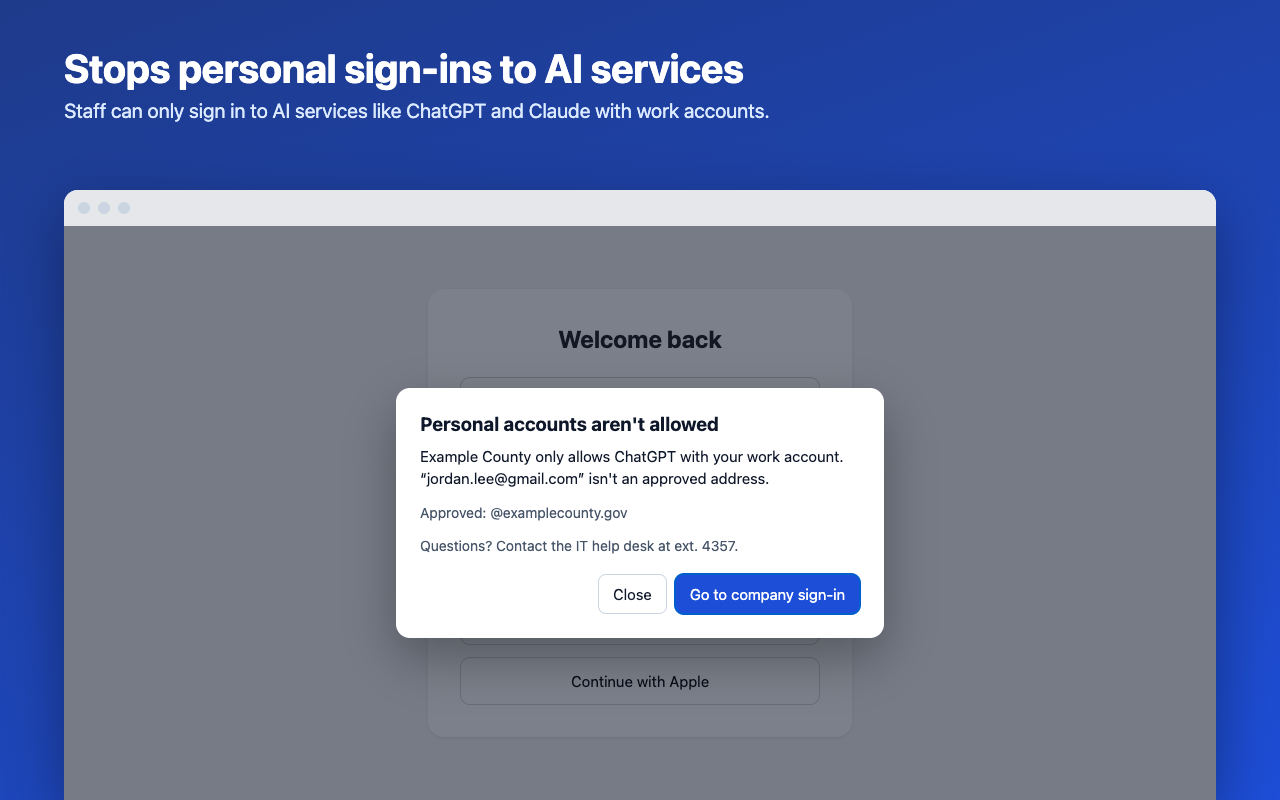
Sign-ins with an address outside your approved domains, such as Gmail or Outlook.com, are stopped before they're sent.
AI Account Guard stops personal sign-ins to ChatGPT, Claude, Gemini and other AI services in Chrome, so work data stays in accounts your organization controls.
Free and open source. No accounts, no servers, no tracking.
When someone pastes a contract, a client list or source code into a personal ChatGPT or Claude account, that data leaves your organization's control. You can't see it, keep it or delete it, and it's covered by terms your organization never agreed to.
Most people don't mean any harm. They're already signed in at home, or a personal account was quicker to set up. AI Account Guard catches that moment in the browser and points them to your work account instead.
It doesn't stop people using AI. It makes sure they use it with an account you manage, such as a ChatGPT Business or Claude Team workspace, or your Microsoft 365 or Google Workspace sign-in.
AI Account Guard checks sign-ins as they happen, inside Chrome.
Sign-ins with an address outside your approved domains, such as Gmail or Outlook.com, are stopped before they're sent.
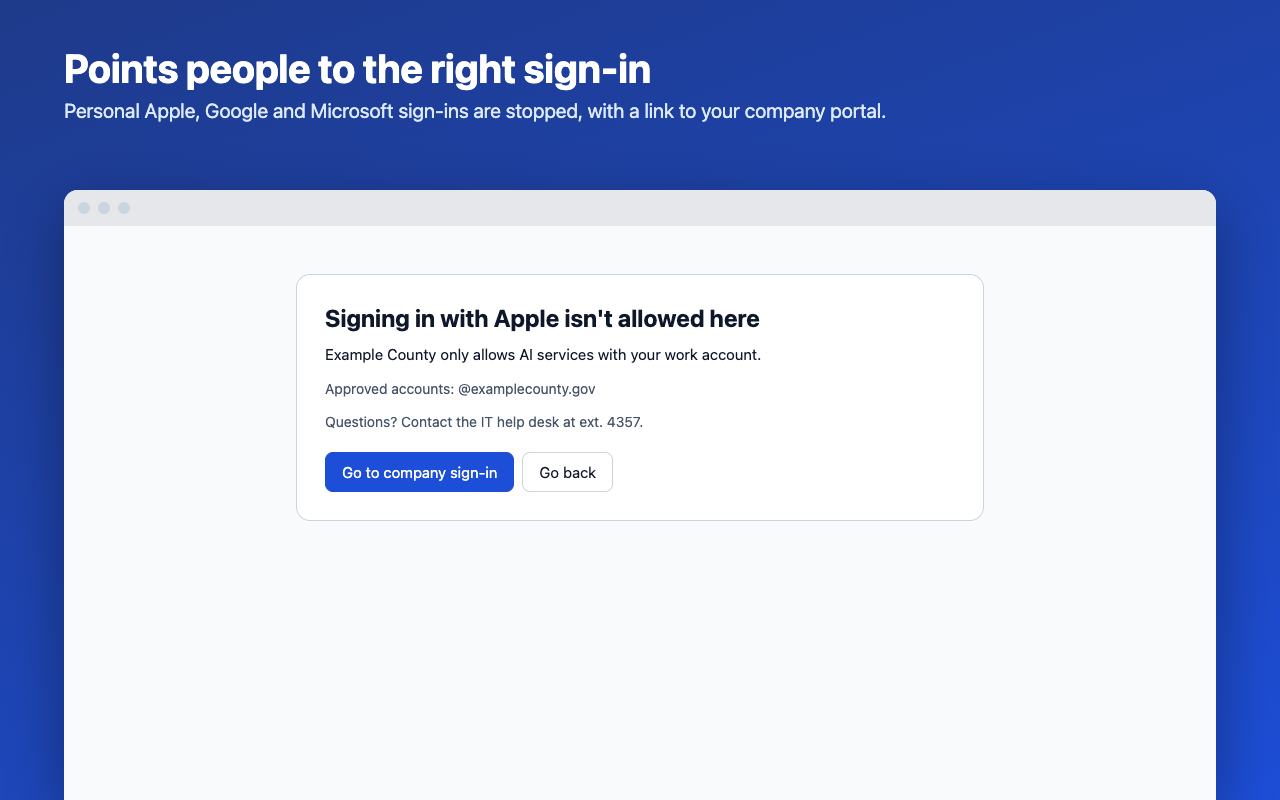
"Continue with Apple", GitHub, X and phone sign-ins are stopped on AI services, since they can only lead to personal accounts.
"Sign in with Microsoft" or "with Google" can stay on, limited to your organization's accounts by Microsoft's and Google's own tenant restrictions.
Choose per service: work accounts only, or blocked. Meta AI, which only offers personal accounts, is blocked by default.
Staff see your organization's name, your help-desk message and a button to your company sign-in page.
ChatGPT, Claude, Gemini (with AI Studio and NotebookLM), Microsoft Copilot, Perplexity, DeepSeek, Grok, Mistral Le Chat, Poe and Meta AI.
Every message names your organization and shows them the right way in.
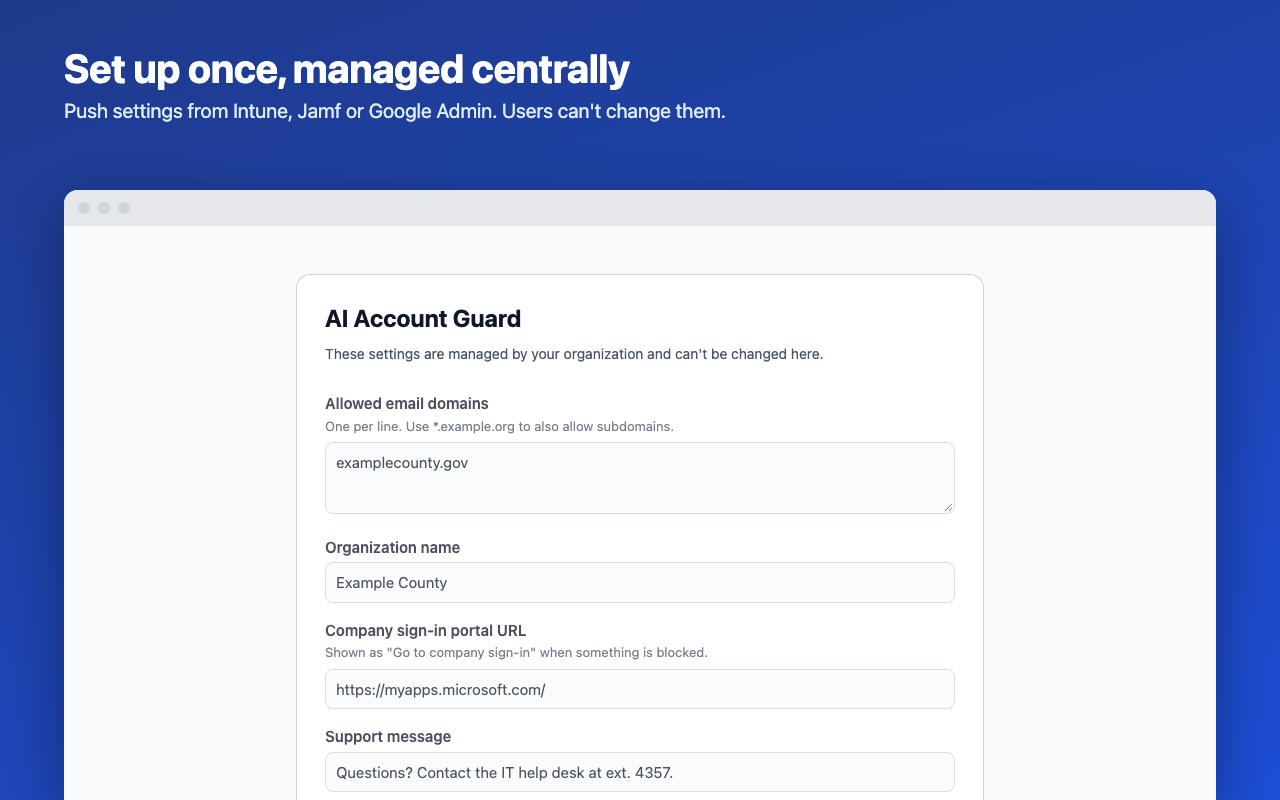
Built for Microsoft Intune, Jamf Pro and the Google Admin console. Staff can't remove it or change its settings.
The setup page looks up your domain, asks a few questions and builds the file for your tool. It takes about five minutes.
Upload it to Jamf, Intune or the Google Admin console. Chrome installs the extension and applies your settings.
Confirm the settings arrived in chrome://policy and try a personal address on ChatGPT. Then roll it out.
A security tool that reads sign-in forms should earn that trust. AI Account Guard does its work entirely inside the browser.
What AI Account Guard does and doesn't cover, so you can plan around it.
Make your settings file in about five minutes. Questions? Email support@stratitsolutions.com.